

The Uncle Floyd Show with Scott Gordon

This WAS The Uncle Floyd Show #265!
Showtime:
- Purchase a ticket - recommended
- Hitch a Ride! - Click to learn more
 iCal
iCal
 gCal
gCal
Tip the Artist in Notes (10 notes = $1)

Top Supporters


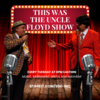
The Uncle Floyd Show with Scott Gordon
This WAS The Uncle Floyd Show #265!
Show Description:
Step back in time—like you’ve never done before!
On Tuesday, April 7, 2026 at 8PM Eastern, join Scott Gordon for a truly unique streaming event: *This WAS The Uncle Floyd Show!* Settle in for a special watch party featuring rare and historic episodes from the legendary series, carefully selected from an archive of over 1,700 hours—preserved from an astonishing 6,399 original programs.
Fun fact: even David Bowie once called Uncle Floyd “one of the BEST ‘Barrelhouse’ piano players I have ever heard.” Tune in and see exactly what he meant!
But this isn’t just a viewing—it’s a full-on celebration. Scott Gordon will guide you through unforgettable highlights filled with music, comedy, and chaos, while answering your questions and sharing behind-the-scenes stories from the show’s colorful past. And who knows? A surprise guest appearance might just happen.
Catch the exclusive trailer, reconnect with fellow fans, and take part in a one-night-only event you won’t want to miss. No replays. No archives. Just one unforgettable evening.








How StageIt Works
StageIt is a LIVE online video concert that is never recorded or archived. Fans can chat with each other in real time and interact with the performer. To get a ticket to this show, click the "Get Ticket" button above. The tip jar also allows you to show your support at anytime. Top Supporters are ranked by their contribution to a specific show (this includes the total value of both your ticket price and tips).
Important info: Tipping does not secure you a ticket for the show. You must get a ticket to enjoy the performance. This is not a ticket to a brick & mortar event in your home town. This show takes place LIVE on the internet and will not be made available for later viewing.
Browser: Google Chrome (recommended), Firefox and Safari can also be used.
Internet Speed: 5 Mbps or higher download speeds (recommended). You can test the speed of your internet connection at www.speedtest.net.
Mobile: Shows can be viewed on mobile devices, including iOS and most Android devices.
Frequently Asked Questions
-
How do I buy a ticket?
-
Make sure you are logged into your StageIt account. If you do not have one, click "Register" in the top right of the page.
-
Press “Get Ticket’ -> “Purchase a Ticket”, then follow the instructions to complete your purchase.
-
Once you have completed your transaction, your ticket will be on your StageIt account.
-
-
Can someone else buy me a ticket?
-
Yes, if you press on the “Get Ticket” button and select “Hitch a Ride”, other people will have the ability to purchase one for you through the hitchhiker menu found at the top of the chatroom. Outside of this, anyone can gift a ticket to someone by pressing “Gift a Ticket to a Friend” on a show page. Please note, hitchhiking doesn't always guarantee entry to a show. To ensure entry to a show, you will need to purchase a ticket.
-
-
I purchased a ticket, why does it still say “Get Ticket”?
-
If you do not see “You Have A Ticket” and have already purchased one, you are likely not logged in. Logging in at the top right of the page should cause the page to show that you have a ticket.
-
-
How Do I Watch the Show?
-
At show time, come back to this page
-
Log in to your account (If you are not already logged in)
-
Enjoy the show
-
-
What are notes?
-
Notes are StageIt's currency. 1 Note = 10¢, 10 Notes = $1, 100 Notes = $10, etc. When purchasing Notes on StageIt, there is a minimum of 50 notes ($5 USD) per transaction.
-
 Back
Back
